
Email becomes difficult to manage when every bill, security alert, receipt, family message, and subscription lands in the same place. I use Proton Mail because privacy matters to me, but a private inbox still needs a system behind it.
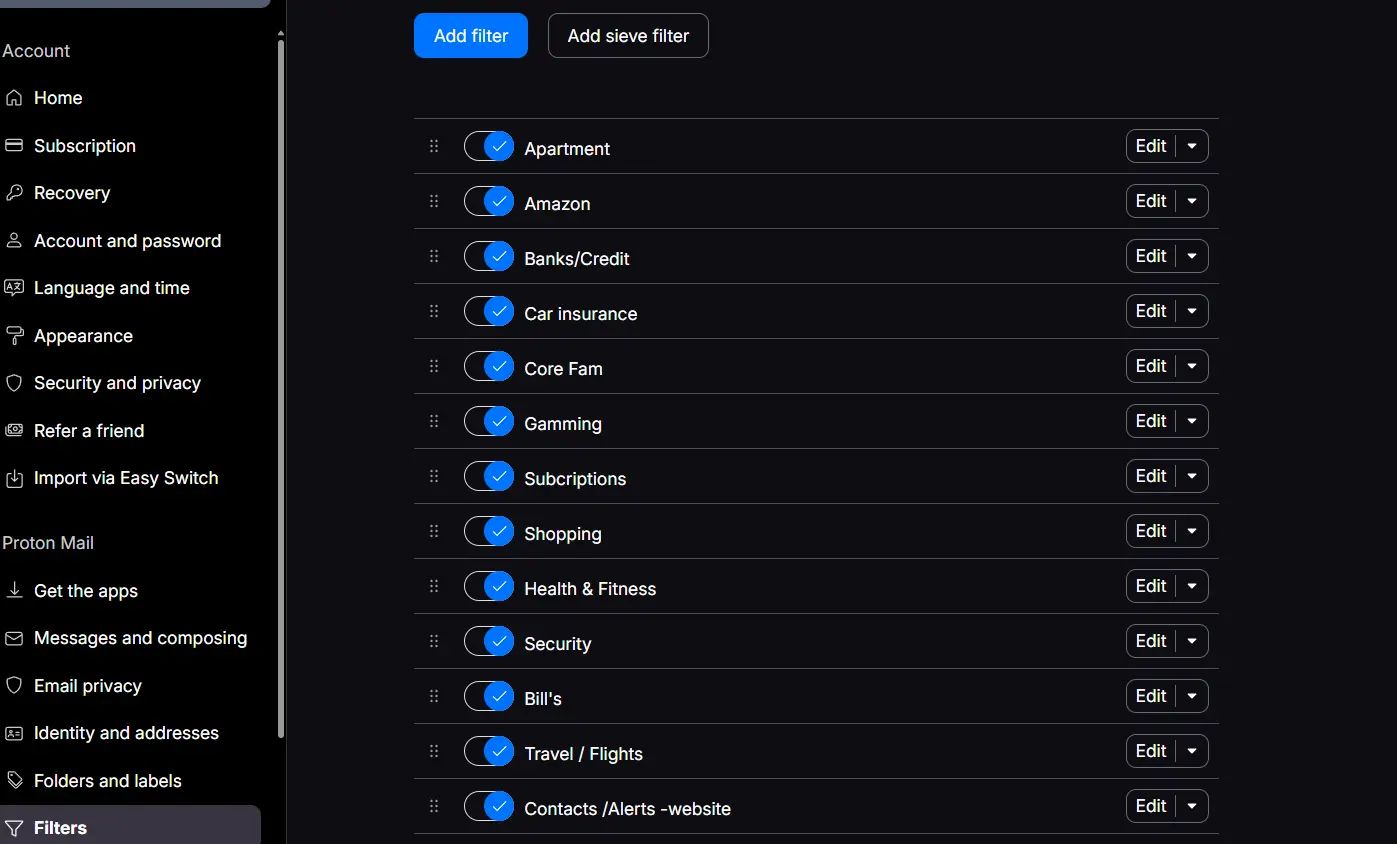
My solution is a group of filters that sorts incoming mail automatically. Each filter recognizes a specific sender or type of message, applies a label, and moves the message into the folder where it belongs. The result is an inbox that requires less manual cleanup without handing the job to another service.
Building the overall system
I started by separating mail according to how I actually use it. Apartment messages have their own place. Banking and credit notices stay together. Insurance, bills, travel, shopping, subscriptions, security notifications, and website alerts are divided into categories that make sense at a glance.
The goal is not to create as many filters as possible. It is to remove repeated work. When an email has an obvious destination, the filter handles it immediately. Messages that do not match a rule remain in the inbox for me to review normally.
Create the destination folder first
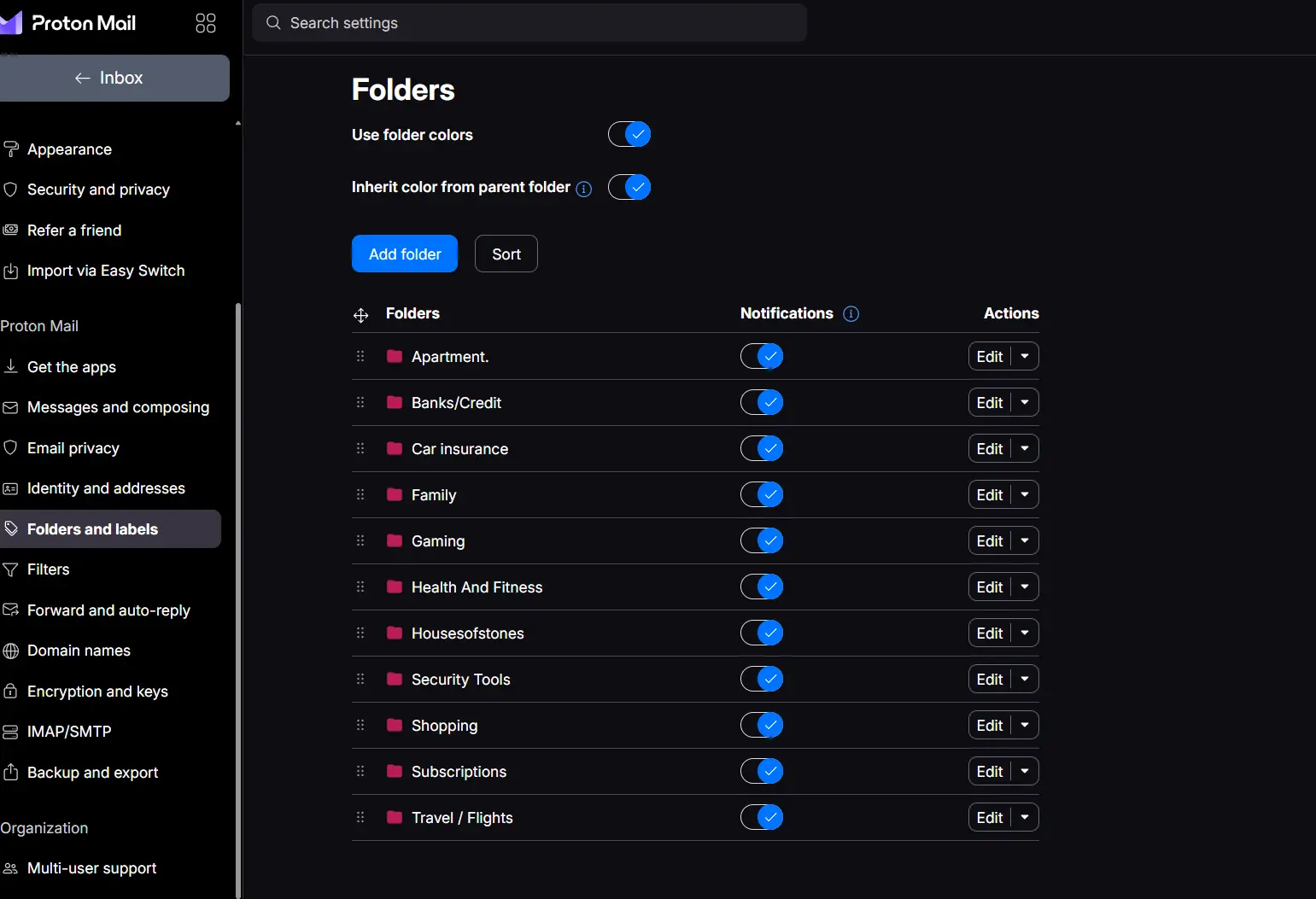
Before building a filter, I create the folder where its matching messages will go. In Proton Mail, that starts under Folders and labels. The folder list is also where I can add new folders, arrange them, change their colors, and decide whether each one should generate notifications.
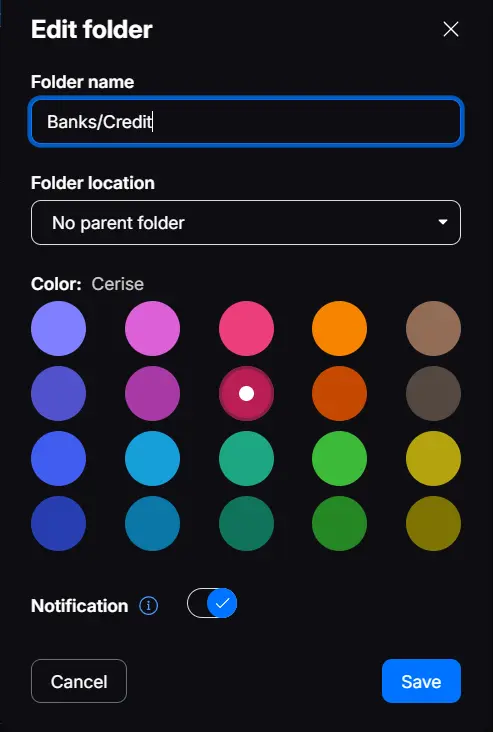
For example, the Banks/Credit folder has a straightforward name, no parent folder, a custom color, and notifications enabled. Once those choices are saved, the folder becomes available on the filter action screen. The exact color is personal preference; the important part is giving the folder a clear purpose so it is easy to recognize later.
Step 1: Give the filter a clear name
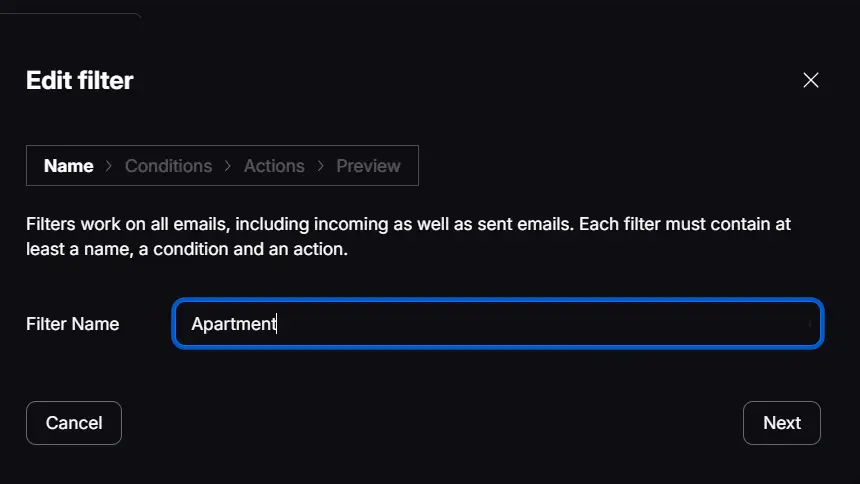
For this example, I am building the filter used for apartment communication. The first screen asks for a filter name. I keep the name simple and match it to the label and folder that the filter will eventually use.
Step 2: Choose exactly what the filter should recognize
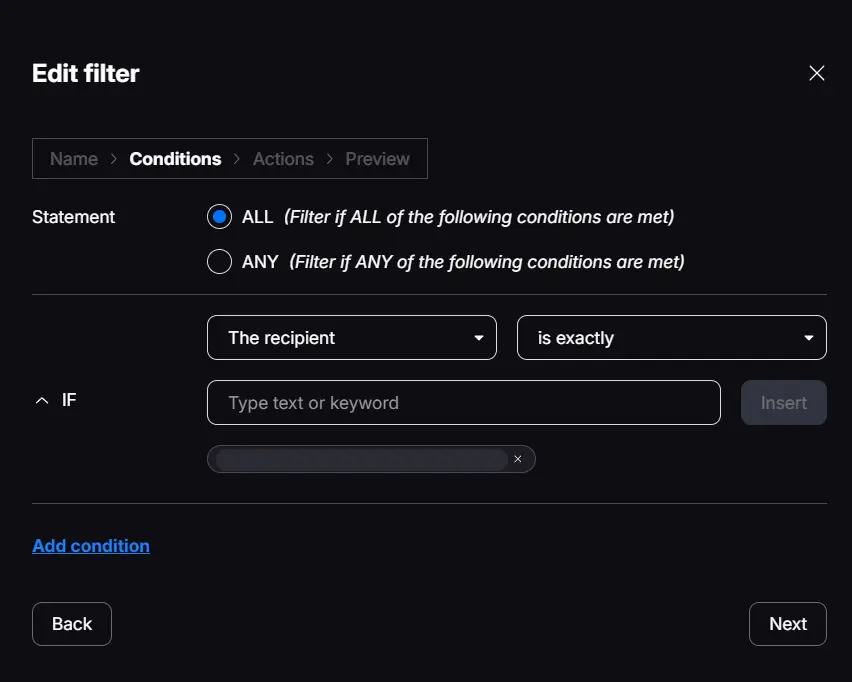
The condition tells Proton Mail which messages belong to this filter. In this setup, the recipient must exactly match the dedicated address used for apartment communication. An exact match prevents unrelated mail from being pulled into the rule by accident.
The address shown in the original settings screen has been intentionally redacted. Explaining a privacy system does not require publishing the private address that system protects.
Step 3: Apply a label and move the message
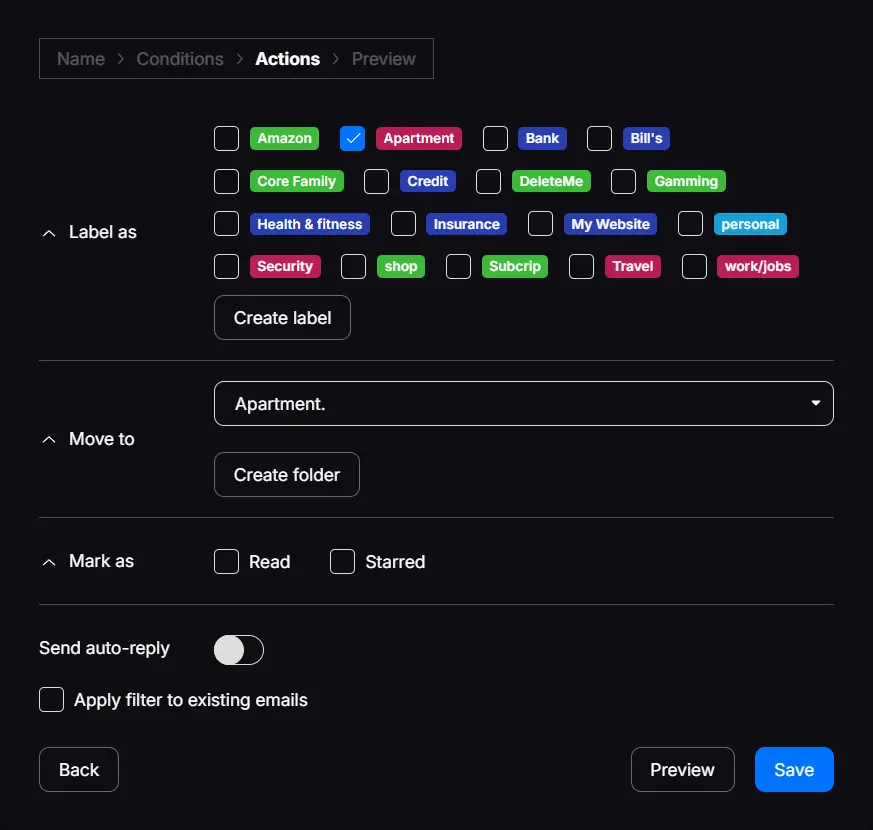
Once Proton recognizes a matching message, the action screen decides what happens next. This filter applies the Apartment label and moves the message into the Apartment folder. The label makes the category visible, while the folder keeps the message out of the main inbox.
I leave the other actions off. These messages are not marked as read or starred automatically, and the filter does not send an automatic reply. That matters because organization should not hide whether I have actually reviewed something.
What this accomplishes
After the filter is saved and enabled, apartment mail sorts itself the moment it arrives. The same basic structure can be repeated for other categories: define what the rule should recognize, then decide which label and folder should receive the message.
This is a small system, but it reflects how I think privacy tools should work. Technology should reduce unnecessary work while leaving important decisions in the user’s hands. Proton Mail handles the sorting. I still decide what gets opened, answered, saved, or deleted.
A private inbox is useful. A private inbox organized around your own rules is better.